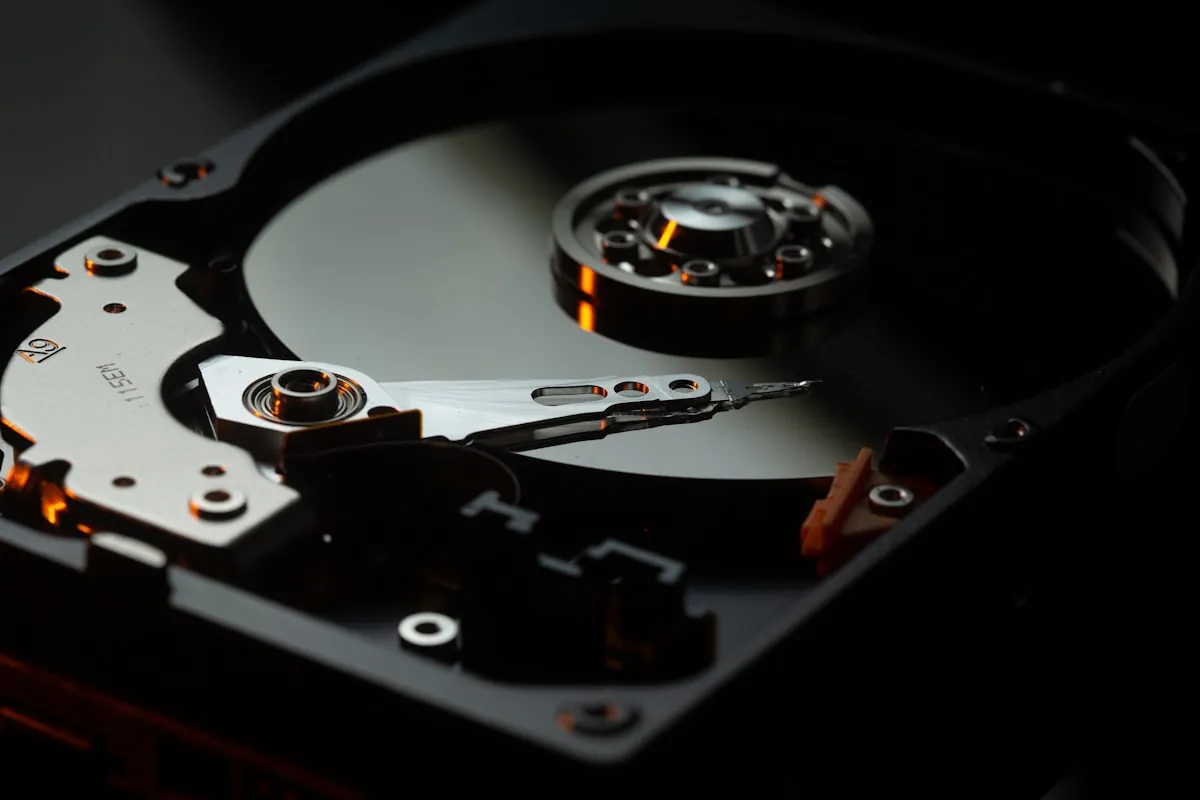
So I'm in this Bangkok cafe last year, reaching for my iced Thai tea, and I knock the whole thing directly into my laptop's USB port. My old spinning external hard drive was plugged in right at that moment. The platter inside very much did not appreciate getting doused. Cost me a client project and about three days of panic.
That was the last spinning drive I ever bought.
Short version if you're busy: Samsung T7 Shield for most folks. SanDisk Extreme if you're moving huge files constantly. WD Black P40 if you also game and want RGB lighting on your storage for some reason.
Quick Picks
Here's the summary if you're in a hurry:
| Drive | Best For | Price (1TB) | Rating | |
|---|---|---|---|---|
| Samsung T7 Shield | Most Remote Workers | $90 | 9.5/10 | Check Price |
| SanDisk Extreme Pro | Speed Enthusiasts | $135 | 9.0/10 | Check Price |
| WD Black P40 | Gamers | $130 | 8.8/10 | Check Price |
Why Solid State Beats Spinning Disks
Old-school hard drives have literal spinning platters inside. Like tiny record players. Knock them while they're running and you can scratch the surface. I've watched drives die from nothing more than getting tossed around in a carry-on during a bumpy landing.
SSDs skip all that. Flash memory chips. No moving parts whatsoever. I've dropped my T7 Shield on concrete, left it in a bag during a rainstorm, stuffed it into overpacked pockets. Still works fine.
Speed's the other thing. A fifty gig project folder backs up in under two minutes on a decent SSD. My old spinning drive? Eleven minutes minimum. That's time I don't have when my Uber to the airport is already outside.
Been rotating between three drives for the past few months now: Samsung T7 Shield, SanDisk Extreme Pro, WD Black P40. Made myself use each one for at least three weeks of real daily work before writing any of this down.
Samsung T7 Shield
This is what's living in my bag right now. Has been since about March.
The Shield version has this rubberized coating that gives it IP65 water and dust resistance. Survived getting caught in a Lisbon rainstorm when I forgot to zip my messenger bag. Also survived hitting concrete from about waist height in a parking garage near my hotel. Still chugging along perfectly.
Transfers landed around a thousand megabytes per second in my testing. Marketing materials claim 1,050 but you never actually hit those peak numbers in the real world. Fast enough that backup runs don't interrupt my workflow though.
The thing weighs maybe 98 grams? Roughly credit card sized, a bit thicker. Slips into a front pocket without creating a weird bulge.
Timed it with a stopwatch: copying a 45GB video project folder took 52 seconds flat. Same folder going to my old WD spinning drive took over eleven minutes. Night and day difference.
Other stuff I like:
- Hardware encryption baked in. AES 256-bit. Samsung's software lets you set a password and the drive stays locked without it.
- Three year warranty which is pretty standard.
- Comes in one, two, or four terabyte versions. Grabbed the 2TB for around $140 when Amazon had a sale going.
- The rubber grip actually feels good. Way better than those slippery aluminum drives.
What's annoying:
- Samsung's encryption software only runs on Windows and Mac. Linux folks need workarounds.
- The 4TB model costs almost as much as just buying two 2TB drives. Weird pricing.
- USB-C cable in the box is stubby. Fine for laptop, annoying for reaching a desktop tower.
- Not the fastest drive in this group. More below.
Best for: Most remote workers, honestly. The water resistance alone justifies it if you're ever working from cafes or traveling. Reliability over raw speed.
Check Samsung T7 Shield Price on AmazonSanDisk Extreme Pro
Faster than the Samsung. Also more finicky.
SanDisk claims this thing hits 2,000 MB/s when you've got a USB 3.2 Gen 2x2 port. Problem is most laptops don't actually have Gen 2x2 ports. My MacBook doesn't. My ThinkPad doesn't either. So practically speaking, I got around 1,000 MB/s from it. Same as the Samsung.
My desktop has the right USB controller though. Same 45GB folder copied over in 28 seconds. Nearly twice as fast as the T7 Shield. Real difference if you're moving big files constantly.
Build feels solid. IP55 for dust and water which is a step down from Samsung's IP65 rating. There's a little carabiner loop for clipping to bags which is actually kinda useful.
Gotta mention the elephant in the room: I've come across reports of sudden data loss with some Extreme Pro units. Something about firmware causing drives to brick randomly. SanDisk put out fixes but it spooked me enough that I keep my most important stuff on the Samsung instead.
Other stuff I like:
- Fastest writes I tested assuming your port can handle it.
- Five year warranty which beats everyone else here.
- Same hardware encryption standard as Samsung.
- Physically smaller than the T7 Shield by a hair.
What's annoying:
- Full speed requires Gen 2x2 which most laptops just don't have.
- Those bricking reports linger in my brain even if they're supposedly fixed.
- Encryption software is clunkier than Samsung's.
- IP55 versus IP65 means less water protection.
Best for: Power users with desktop setups or newer laptops with Gen 2x2 ports. Video editors shuffling large files around constantly.
Check SanDisk Extreme Pro Price on AmazonWD Black P40
This one's weird. It has RGB lighting. On an external SSD. The whole edge glows.
It's ridiculous and I kind of love it.
RGB only works on Windows though. Mac users just get a boring black rectangle with no glow. The customization software is Windows-only too.
Performance matches the SanDisk at 2,000 MB/s when you have the right port. Same Gen 2x2 requirement. Plugged into my MacBook it tops out around 1,000 MB/s which is still perfectly fine for everyday stuff.
Build quality is seriously impressive. Feels like a little tank in your hand. Heavier than the others at around 120 grams but still pocketable. This thing could probably survive being run over honestly.
I keep this one at my home desk where I've got a Gen 2x2 port available. Speed difference is obvious when moving game installs or massive video exports around.
Other stuff I like:
- The RGB genuinely looks cool in a dark room. I said what I said.
- Speed matches the SanDisk Extreme Pro dollar for dollar.
- Build feels bulletproof.
- Works great as expanded storage for PS5 or Xbox.
What's annoying:
- Around $130 for the 1TB which is pricier than the T7 Shield.
- RGB lighting does nothing on Mac. Zero. Useless.
- Heavier than both competitors.
- No hardware encryption built in. Software only.
Best for: Gamers who also work remotely. Anyone with Gen 2x2 ports who wants fast transfers plus some desk flair.
Check WD Black P40 Price on AmazonPicking Your Drive
By priority
- Tight budget: Samsung T7 Shield 1TB runs around $90. Best value here.
- Speed demon: SanDisk Extreme Pro if your computer has the right ports.
- Gaming setup: WD Black P40. The glowing edges are silly but the performance is legit.
- Paranoid about losing data: T7 Shield. Most rock-solid in my months of testing.
- Photo or video work: Extreme Pro for those write speeds during heavy exports.
How Much Storage Do You Need?
Most remote workers doing normal office stuff? 1TB handles it fine. Your OS backup, important documents, reasonable archive of projects.
Photographers and video folks need bigger. 2TB minimum. Maybe 4TB if you're swimming in RAW files or 4K footage all the time.
Bigger drives cost less per gig which is counterintuitive. The 2TB T7 Shield runs about $180 which works out to roughly nine cents per gig. 1TB at $90 is also nine cents per gig. But the 4TB at around $300 drops to about seven and a half cents per gig. If you know you'll eventually need the space, buying bigger upfront saves money.
About those speed numbers
Marketing materials list peak theoretical speeds. What you actually get depends on a bunch of stuff:
- Your USB port matters most. Gen 2x2 gives you 2,000 MB/s. Regular Gen 2 maxes around 1,000 MB/s. Old Gen 1 tops out near 500 MB/s.
- File sizes affect things too. Tons of tiny files transfer way slower than one giant file.
- Heat throttles performance. SSDs slow down when they get warm from heavy use.
- Full drives run slower. Performance drops as you fill them up.
Day to day, all three drives feel snappy. You really only notice the gap between 1,000 and 2,000 MB/s when you're hauling around giant video project folders. For documents and photos? You won't notice much difference honestly.
What's actually in my bag
Samsung T7 Shield 2TB travels with me everywhere. Daily driver for backups and project files on the road.
SanDisk Extreme Pro 1TB stays at my home desk. Gets used when I'm editing video and need fast transfers.
WD Black P40 1TB connects to my gaming PC. Also holds overflow work files when I need extra space.
Probably overkill for most people? Yeah. One T7 Shield covers ninety percent of typical remote work needs.
Frequently Asked Questions
Samsung T7 Shield for most remote workers. The IP65 water and dust resistance handles real-world travel abuse. Transfer speeds around 1,000 MB/s are fast enough for daily backups and file transfers.
If you need maximum speed and have a USB 3.2 Gen 2x2 port, the SanDisk Extreme Pro hits 2,000 MB/s.
1TB covers most remote workers doing documents, presentations, and photo archives. That's plenty for OS backups plus years of project files.
Video editors and photographers should start at 2TB. Go 4TB if you work with RAW files or 4K footage regularly.
SSD for anything you travel with. No moving parts means no damage from bumps, drops, or vibration. Traditional spinning hard drives can fail from rough handling.
HDDs still make sense for stationary backup drives at home where you need massive storage cheaply. But portable? SSD every time.
USB 3.2 Gen 2x2 is a faster USB standard that allows 2,000 MB/s transfers. Most laptops don't have it yet. MacBooks, most ThinkPads, and most consumer laptops max out at Gen 2 (1,000 MB/s).
Unless you have a newer desktop or specific workstation laptop, you probably don't have Gen 2x2. The Samsung T7 Shield maxes out regular Gen 2 speeds anyway.
SanDisk released firmware updates addressing reports of sudden data loss on some Extreme Pro units. The issue appears resolved but some users remain cautious.
If reliability is your top priority, the Samsung T7 Shield has a cleaner track record. The SanDisk's five-year warranty does provide protection if issues occur.
Yes if you store client data, financial information, or anything sensitive. Hardware encryption protects your files if the drive is lost or stolen.
Samsung T7 Shield and SanDisk Extreme Pro have hardware encryption built in. WD Black P40 only offers software encryption which is less secure.
Yes, if your device supports USB OTG (On-The-Go). Most Android phones and tablets work. iPads with USB-C ports work with the Files app.
iPhones have limited external storage support. You'll need apps designed for external drive access.
Modern SSDs are rated for hundreds of terabytes written. For typical remote work use, that translates to 5-10 years easily.
The bigger concern is losing the drive or accidental damage. The Samsung T7 Shield's IP65 rating helps with the latter.
Bottom Line
Samsung T7 Shield wins for most remote workers. IP65 handles real life abuse. Speeds are plenty fast. Pricing makes sense. It's the drive I grab when heading anywhere.
SanDisk Extreme Pro is for folks obsessed with transfer speeds who have compatible ports. Those 2,000 MB/s writes genuinely help for video work.
WD Black P40 is for people who want their storage to glow in the dark. Performance matches SanDisk and the build is tank-like.
Grab the T7 Shield unless you've got specific reasons to go elsewhere.
Get Samsung T7 Shield - Our Top Pick