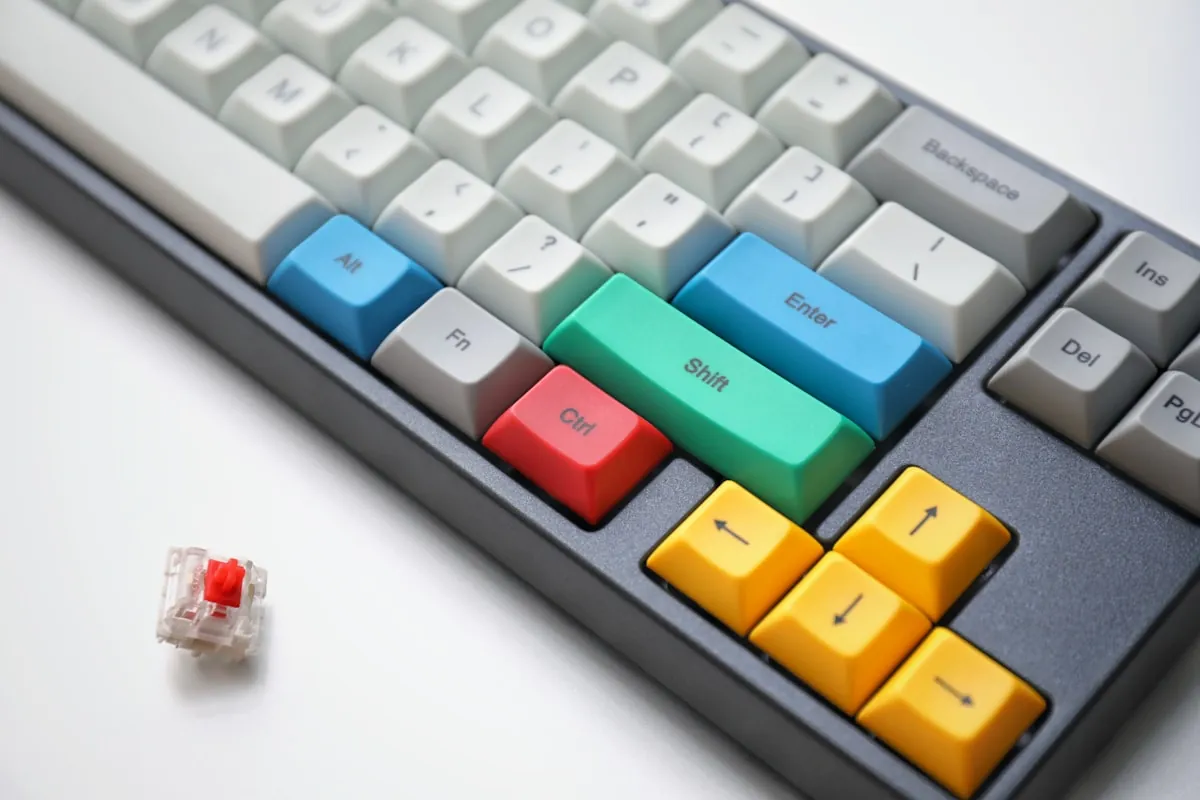
Three Months, Eight Keyboards, One Very Patient Partner
Eight keyboards in three months. My partner stopped asking questions around keyboard number four.
The Dell membrane board from 2019 gave me 43 WPM on typing tests. That number bugged me. Also my wrists hurt constantly.
Switched to a $60 mechanical. Sixty-eight words per minute now. No more cramping. The specs matter here.50 million keystroke rating versus 5 million on membrane. Cherry MX Browns at 45g actuation versus that mushy 65g membrane resistance.
Three years into this hobby. Tested maybe a dozen keyboards for this article. My partner has opinions about the clicking. Strong opinions. But here we are.
The short version: Get a Keychron K2. Eighty-nine dollars, works with Mac and Windows out of the box, wireless that doesn't suck. That's the one next to me right now as I type this. If your job involves a lot of video calls, the Logitech MX Mechanical has these tactile quiet switches that are actually... quiet. Novel concept.
Quick Picks If You're In a Rush
My partner is staring at me because dinner's ready so let me speed through this:
| Keyboard | Best For | Price | Rating | |
|---|---|---|---|---|
| Keychron K2 | Best Overall | $89 | 9.3/10 | Check Price |
| Logitech MX Mechanical | Best Wireless | $149 | 9.0/10 | Check Price |
| Royal Kludge RK84 | Best Budget | $60 | 8.5/10 | Check Price |
Want the nerdy details on each? Keep scrolling. Or skip to the switch type section because that matters more than most people realize.
Understanding Those Clicky Bits Under the Keys
Mechanical keyboards have these things called switches. Three main varieties:
Linear (the smooth ones)
You press down and it goes down. No bump, no click, just a smooth journey to the bottom. Cherry MX Reds are what gamers use. I personally find them boring but some people swear by them for fast typing.
Tactile (the bumpy ones)
There's this subtle bump halfway through the press that tells your fingers "hey, that keystroke registered." Cherry MX Browns are the classic choice. This is what most typists end up liking, myself included.
Clicky (the loud ones)
That typewriter sound your grandparents made. Cherry MX Blues. I genuinely love these. My partner does not. Use them if you work alone or actively enjoy annoying people.
My advice for remote workers? Tactile switches. You get the satisfying feedback without making your Zoom colleagues want to strangle you.
The Part Where I Review Keyboards I Actually Own
Keychron K2 - My Daily Driver
If everything I own caught fire tomorrow and I had to replace one keyboard, I'd buy this again without hesitation.
Why does it work so well? Hard to say exactly. It's just... competent at everything. Mac support is actually good, not an afterthought. Windows support is good. Bluetooth connects to three things and switching between them takes maybe two seconds. The 75% layout gives you function keys and arrows while ditching that numpad nobody uses.
Mine's been going strong for around eight months. I dropped it once. Long story involving a cat. And the aluminum frame survived fine.
Things that bug me: the keyboard sits pretty high so you probably want a wrist rest. Stock keycaps feel plasticky; I replaced mine eventually. And every week or so the Bluetooth has this tiny hiccup where it hesitates for half a second. Not a dealbreaker but I notice it.
Somewhere between $89 and $109 depending on which variant you pick. I went with Brown switches because I have no imagination.
Check Keychron K2 PriceDas Keyboard 4 Professional - Built Like a German Tank
This thing will outlive cockroaches.
Das Keyboard has been making mechanical keyboards since back when that was weird instead of trendy. The Model 4 is their flagship. Full aluminum construction, genuine Cherry MX switches, and this hilariously oversized volume knob that I didn't think I wanted until I used one.
The problems: $169 is genuinely expensive. No wireless option whatsoever. Full-size layout means it devours desk space. And no Mac-specific keycaps if that matters to you.
But if you want something that feels like it was forged in actual fire? My friend still uses his from 2011. Not even joking.
Price: $169
Check Das Keyboard 4 Price on AmazonLogitech MX Mechanical - For Serial Device Switchers
Some days I'm on my MacBook. Then I'm on my Windows desktop. Then back to the MacBook. Then I'm remoting into a work machine.
This keyboard has a button that swaps between three paired devices instantly. Press it, boom, now you're typing on the other computer. Logitech's Easy-Switch thing actually works and I use it constantly.
Their Tactile Quiet switches are also shockingly quiet. I've been on video calls typing on this thing and nobody complained. Usually someone complains.
Downsides: $149 to $169 range. Can't swap switches if you decide you hate them. And Logitech uses their own switches instead of Cherry MX, which apparently bothers some keyboard enthusiasts. Doesn't bother me personally.
Price: $149 (Mini), $169 (Full)
Check Logitech MX Mechanical PriceKeychron Q1 - For People Who Watch Keyboard Sound Test Videos
You know those YouTube videos where someone carefully applies lubricant to each individual switch and then taps keys for ten minutes while whispering about "thock"? If you watch those, this keyboard is for you.
The Q1 is the K2's more expensive sibling. Full aluminum case. Gasket mount which makes it sound... thocky? Is that even a word? It is now. QMK support means you can program literally every key to do whatever you want.
Tradeoffs: $179. Wired only, no Bluetooth. Weighs about 1.7 kilograms which means you could theoretically defend yourself with it.
The typing feel is noticeably better than budget boards though. If you care about this stuff, you'll care about this keyboard.
Price: $179
Check Keychron Q1 PriceNuPhy Air75 - The Flat One
Standard mechanical keyboards are chunky. The NuPhy Air75 exists for people who look at that chunk and say "absolutely not."
Low-profile switches. Sits almost flat on your desk. I took mine traveling for a month and it fit in my laptop sleeve no problem. Doesn't need a wrist rest because the whole thing is only 16mm tall.
Here's the weird part about low-profile switches though: people either love them or hate them. Not much middle ground there. If you're coming from typing on a laptop keyboard and want something similar but upgraded, give this a shot.
Price: $109. Mac keycaps included which is thoughtful.
Check NuPhy Air75 Price on AmazonDucky One 3 - Good Luck Finding One
Ducky keyboards have genuinely excellent keycaps. The PBT double-shot ones on the One 3 won't get that gross shiny look after a year of use like cheap ABS caps do.
The actual problem: they're perpetually out of stock. Every time I look, sold out. If you find one available, grab it before someone else does.
Price: $129 to $149 depending on the size. Wired only. Works fine with Mac even without Mac-specific legends.
Check Ducky One 3 Price on AmazonLeopold FC660M - The Purist's Keyboard
No RGB lighting. No wireless. No hot-swap sockets. No gimmicks.
Just really, really good typing.
Leopold is what keyboard nerds recommend when asked what keyboard nerds actually use. The FC660M has sound dampening inside that makes it quieter than most Cherry MX boards. Keycaps are excellent. Build quality is excellent.
Price: $119 and it does exactly one thing extremely well. That's the entire sales pitch.
Check Leopold FC660M Price on AmazonRoyal Kludge RK84 - This Price Has to Be a Typo
Sixty dollars. For a mechanical keyboard with hot-swap switches, Bluetooth, 2.4GHz wireless dongle, wired mode, AND RGB lighting.
There has to be a catch, right? Kind of. Stock switches are mediocre.keycaps are cheap ABS. The software works but barely.
But consider this math: you could buy this keyboard, hate the switches, buy nice replacement switches, install them yourself, and still spend less money than one Keychron Q1. At sixty dollars it's basically a platform for experimentation.
Price: $60
If you're new to all this mechanical keyboard stuff and don't know what you like yet? Start here. Figure things out. Upgrade later if you want.
Check Royal Kludge RK84 Price on AmazonVideo Call Survival Guide
Keyboard choice matters less than switch choice when you're on calls all day.
The quiet options: Cherry MX Silent Reds are nearly silent. Gateron Silent Browns exist. Logitech puts those Tactile Quiet switches in their MX line. Boba U4 switches are popular in the hot-swap community.
Other things that help: desk mats absorb impact sound, O-ring dampeners are a cheap mod, and software like Krisp or RTX Voice can filter out keyboard noise in real time.
I've made clicky switches work on calls before. It requires some effort but it's doable.
The Wireless Question
Modern wireless keyboards basically have no lag anymore. Maybe competitive gamers can perceive a difference? I can't and I've tried.
Wireless means cleaner desk aesthetics and easier device switching. Wired means you never charge anything and save maybe twenty dollars.
Several keyboards do both. The Keychron K2 and RK84 can use Bluetooth or plug in with USB-C. Best of both approaches.
Mac Users Need to Pay Attention Here
Keyboards don't automatically work well with Mac. The key positions are different, Command and Control swap places, it becomes a whole situation.
Keychron builds for Mac first. Mac keycaps in the box, physical switch to change layouts. Logitech handles this through software. NuPhy includes Mac legends.
If a keyboard doesn't specifically mention Mac compatibility, assume you'll be remapping keys for hours and still annoyed after.
Frequently Asked Questions
Yes, for heavy typists. Mechanical keyboards offer several productivity benefits:
- Better typing feel: Tactile feedback helps you type faster with fewer errors
- Durability: Rated for 50-100 million keystrokes vs 5-10 million for membrane
- Comfort: Reduced finger fatigue over long typing sessions
- Customization: Choose switch types, keycaps, and layouts
For occasional typists or those prioritizing quiet, membrane or low-profile mechanical keyboards may be sufficient.
Tactile or linear switches with dampening work best for shared workspaces and video calls:
- Cherry MX Brown: Tactile bump, moderate noise (popular choice)
- Cherry MX Silent Red: Linear, very quiet (best for calls)
- Gateron Silent Brown: Tactile, dampened (quiet tactile option)
- Logitech Tactile Quiet: Designed for offices
Avoid Cherry MX Blue (clicky) switches for office environments. They're loud and will annoy colleagues on calls.
Depends on your workflow:
- Full-size (100%): Best for data entry and spreadsheets (numpad included)
- Tenkeyless (TKL/80%): No numpad, more desk space, keeps mouse closer
- 75%: Compact with function keys, great balance for most users
- 65%: Ultra-compact, no function row (arrows retained)
For most remote workers, 75% or TKL offers the best balance. Essential keys without wasted space.
Wireless is convenient but wired is reliable:
Choose wireless if:
- You value clean desk aesthetics
- You switch between devices (Bluetooth multi-pairing)
- You use your keyboard with a laptop on the go
Choose wired if:
- You want zero latency (though modern wireless is near-imperceptible)
- You don't want to charge batteries
- You want the cheapest price (wireless adds cost)
Many keyboards offer both options. The Keychron K2 and Royal Kludge RK84 can be used wired or wireless.
Yes, but check for Mac-specific features:
- Switch for Mac layouts: Command/Option key positions differ from Windows
- Mac keycaps included: Keychron includes both Mac and Windows keycaps
- Function key behavior: Some keyboards need software for Mac media keys
Best Mac-compatible options: Keychron K2/Q1 (designed for Mac), Logitech MX Mechanical (Easy-Switch between devices), NuPhy Air75 (Mac keycaps included).
Hot-swappable keyboards let you change switches without soldering.
You might want hot-swap if:
- You're new to mechanical keyboards and want to experiment
- You want different switches for different keys
- You plan to upgrade switches later
You probably don't need hot-swap if:
- You know what switches you like
- You don't want to modify your keyboard
- Budget is a concern
Hot-swap keyboards: Keychron Q1, Royal Kludge RK84, some Ducky models.
It depends on switches and microphone. Ways to reduce keyboard noise on calls:
- Choose quiet switches: Silent Reds, Silent Browns, or Logitech Tactile Quiet
- Add dampening: O-rings, desk mat, or foam inside keyboard
- Microphone settings: Use noise suppression (Krisp, RTX Voice, built-in)
- Microphone type: Cardioid mics pick up less keyboard noise than omnidirectional
- Push-to-talk: Mute when typing heavily
With proper setup, even clicky keyboards can be managed on calls.
Budget tiers for remote work keyboards:
- $50-80: Good entry-level (Royal Kludge, Keychron C-series)
- $80-120: Sweet spot for most users (Keychron K2, NuPhy Air75)
- $120-180: Premium features and build (Ducky, Leopold, Keychron Q)
- $180+: Enthusiast-grade (HHKB, custom builds)
For most remote workers, $80-120 delivers excellent value. The Keychron K2 at $89 is hard to beat.
So What Am I Actually Recommending
Three months of testing. Eight different keyboards lived on my desk at various points. My conclusions:
The default recommendation: Keychron K2 at $89. Competent across the board.
For device switchers: Logitech MX Mechanical. That Easy-Switch button earns its premium.
For tight budgets: Royal Kludge RK84 at $60. Genuinely absurd value proposition.
For enthusiasts: Keychron Q1 if customization matters to you.
Honestly, pick any of these. Most have return windows. If the switches feel wrong after a week, send it back. That's what I did with the Das before landing on the Keychron.
My prediction though? Once you type on a mechanical keyboard for a while, that membrane keyboard will start feeling like a compromise. A mushy, unsatisfying compromise.
Consider yourself warned.
Get Keychron K2 - Our #1 Pick