Last year a client asked me to repeat myself four times on a single Zoom call. Four! I wanted to melt into my chair. So yeah, that's when I finally dealt with my terrible audio.
Your laptop mic picks up everything except your voice, by the way. Keyboard clacking, dogs barking down the street, that mysterious hum from the fridge. People say you sound like you're calling from a tin can. Or worse.
So I grabbed a bunch of popular USB and XLR mics and tested them over about 50 hours of real calls and podcast recordings. Here's the rundown.
Short version for the skimmers: The Shure MV7 ended up on my desk. Sounds great. But honestly, most people should just get the Blue Yeti at $129. Hits that sweet spot where you're not overspending but still sound professional.
Quick Picks
| Microphone | Best For | Price | Rating | |
|---|---|---|---|---|
| Shure MV7 | Overall best | $249 | 9.5/10 | Check Price |
| Blue Yeti | Best value | $129 | 9.0/10 | Check Price |
| Rode NT-USB Mini | Best compact | $99 | 9.2/10 | Check Price |
Why Audio Matters More Than You'd Think
Here's something strange about human brains. Crappy sound quality makes people trust you less. Studies have actually shown this. When someone comes through tinny or echoy, listeners start questioning whether they know what they're talking about. Totally unfair but there you go.
Also means shorter meetings. Think about it. Nobody asking "sorry, can you say that again?" Nobody squinting at their speakers trying to parse what you just said. Just... actual communication happening.
And if you make recordings.Loom walkthroughs, training stuff, maybe a podcast someday. Decent audio means you can actually use the raw file. No spending three hours in Audacity fixing things.
The Mics I Tested
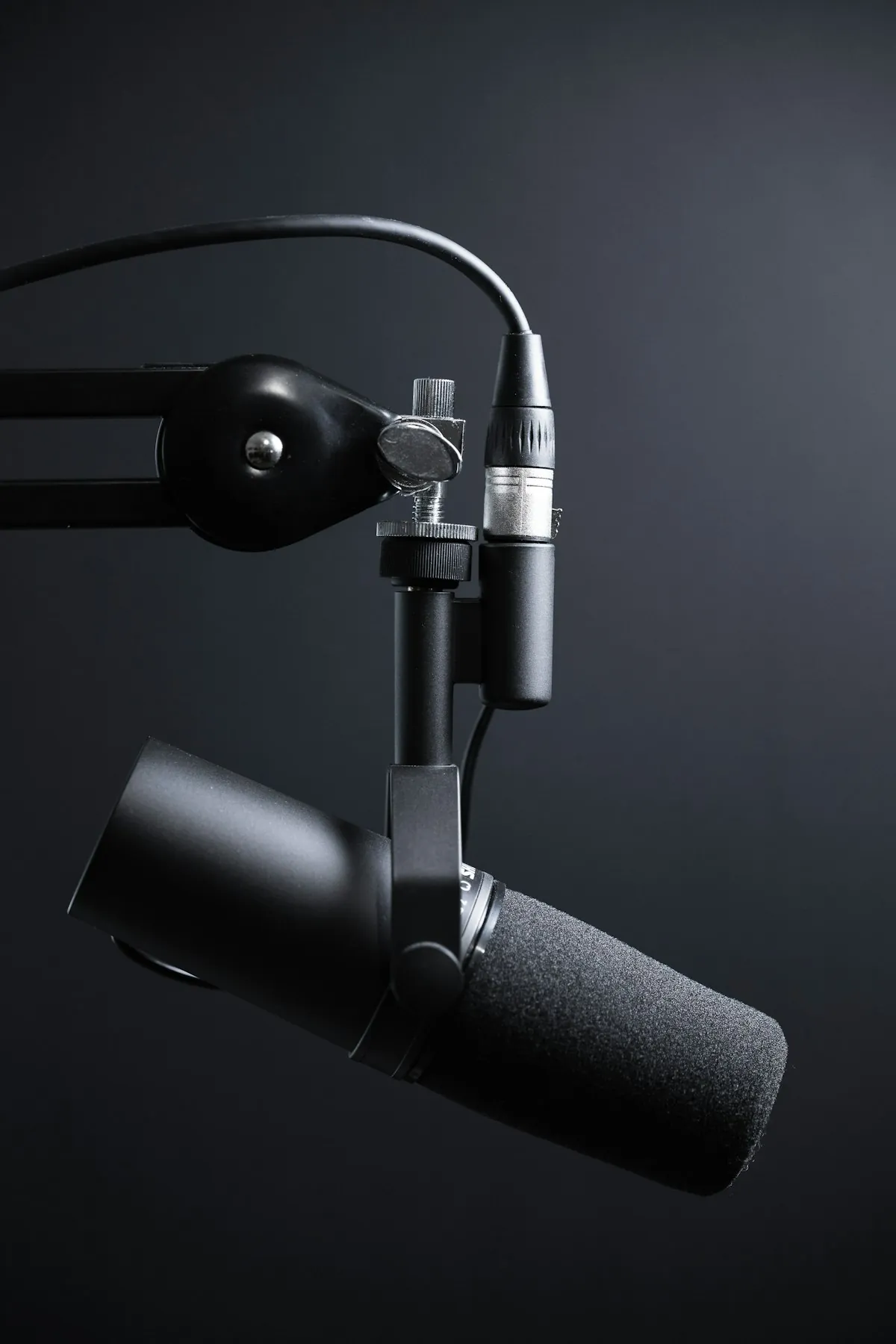
Shure MV7
This one lives on my desk now. Been using it about four months.
It's modeled after the SM7B. The mic you see on every Joe Rogan podcast clip ever. Deep, warm vocals that make me sound way more radio-ready than I actually am. Kind of embarrassing when I hear the playback honestly.
The hybrid thing is what got me. USB cord straight to the laptop right now, then whenever I want to get serious with audio gear, I can connect it to an interface via XLR. Most mics make you choose one or the other.
Touch controls on the body. Mute, volume for headphones, gain. Super handy when you need to adjust something without fumbling through software mid-sentence.
Stuff that works:
The downside:
Two hundred and fifty bucks for a microphone. For some people that's a non-starter.
Blue Yeti
This has been THE recommendation for forever. Everyone and their mother has told someone to buy a Blue Yeti at some point.
Why does it keep getting recommended? Because it actually works well. Plug it in, select it in your video call app, sound good. Not complicated.
You get four different pickup patterns which is kind of wild at this price. Cardioid for your face, omnidirectional if you want room sound, bidirectional for interviews across a table, stereo if you're recording instruments or something. I stick to cardioid 99% of the time but nice knowing the options exist.
Headphone jack built right into the bottom. Monitor yourself with zero delay so you know if you're too far away or if something sounds off.
Fair warning though. This thing is chunky. Like, significantly chunky. Takes up real estate on your desk and kind of dominates the webcam frame if you're not careful about placement.
Stuff that works:
The downside:
Big and kind of ugly. If your desk is small or you care about aesthetics, might bug you.
Rode NT-USB Mini
Rode managed to squeeze studio sound into something that doesn't look ridiculous sitting next to your laptop. I didn't expect much given the size but it sounds better than the price suggests.
Magnetic base is actually pretty genius. Just lifts right off when you want to swap to a boom arm. No unscrewing anything.
One limitation though. Cardioid only. You're not switching patterns here. If you just do calls that's fine. If you occasionally want to record a conversation or capture room ambience, look elsewhere.
Stuff that works:
The downside:
One polar pattern, take it or leave it.
More Options Worth Mentioning
- Audio-Technica AT2020USB-X ($149). Really crisp sound, great if you do voiceover stuff on the side
- Elgato Wave:3 ($149). Has this anti-clipping feature called Clipguard that streamers like
- HyperX QuadCast S ($159). Yes it has RGB lighting and yes I kind of enjoy that? Sound is legitimately good too
- Samson Q2U ($69). Budget king. USB and XLR for sixty-nine bucks. Wild value
USB vs XLR.What's Different?
USB plugs into your computer and you're recording. That's the whole story.
XLR means buying an audio interface. Another box that converts the analog signal into something your computer understands. Expect to spend $100+ minimum, plus cables, plus figuring out how it all connects.
Why would anyone bother with XLR then? Better fidelity, more control over your audio chain, compatibility with professional equipment. Worth it if you're making podcasts or music content seriously.
For normal video calls and occasional recordings? USB all day. Keep it simple.
For more details, see our guide: USB vs XLR Microphones: Which is Better for Remote Work?
Questions People Usually Ask
Frequently Asked Questions
My Actual Take
Average remote worker who just wants to sound better: Blue Yeti at $129. Works great, lasts for years, one less thing to think about.
Want premium and happy to spend for it: Shure MV7 at $249. Podcasters use this stuff for good reason.
Watching your budget: Samson Q2U at $69. I'm still kind of amazed at what you get for that price.
Full Comparison
| Microphone | Best For | Price | Type | Pattern | |
|---|---|---|---|---|---|
| Shure MV7 | Overall best | $249 | USB/XLR | Cardioid | Get Deal |
| Blue Yeti | Best value | $129 | USB | Multi | Get Deal |
| Rode NT-USB Mini | Best compact | $99 | USB | Cardioid | Get Deal |
| Audio-Technica AT2020USB-X | Best mid-range | $149 | USB | Cardioid | Get Deal |
| Elgato Wave:3 | Best streaming | $149 | USB | Cardioid | Get Deal |
| Samson Q2U | Best budget | $69 | USB/XLR | Cardioid | Get Deal |