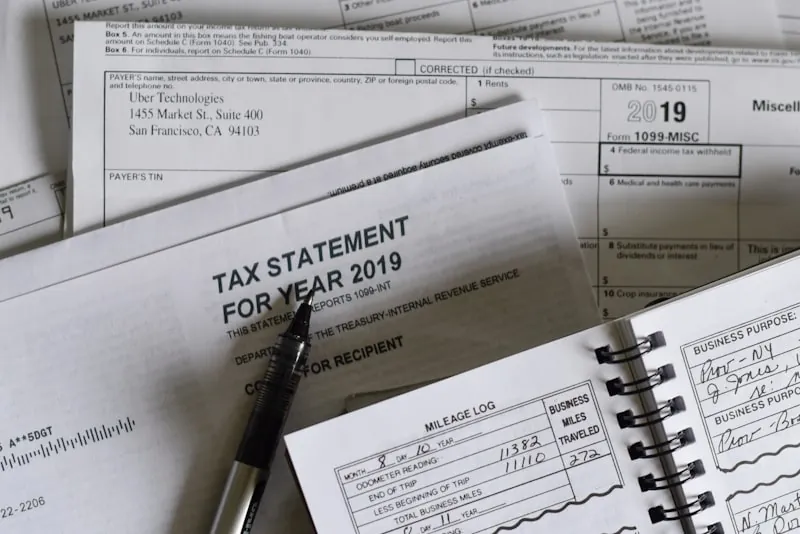
My first year freelancing I did my taxes with a spreadsheet and a shoebox of receipts. Took me two full weekends. Missed at least two grand in deductions I found out about later. Never again.
Good accounting software fixes that. Turns the April nightmare into something almost painless. Saves you money on deductions you'd otherwise forget. And honestly? Helps you actually understand if your freelance thing is working.
This list got a proper 2026 going-over. One tool got replaced by a new product, one shut down completely, and most of the prices went up. Here's what actually matters now.
Why You Need This
Look, when you're self-employed, you're also the entire finance department. One person. That's a lot of balls to juggle.
Without a system you'll miss write-offs. That coffee meeting with a potential client. The software subscription you forgot about. Your home office setup. All deductible. All easy to lose track of.
Quarterly taxes? Most freelancers underestimate them. Then April shows up with penalties. Surprise. Check our tax tips guide for more details.
Who owes you money right now? Are they late? Do you actually know? Most freelancers don't. Not really.
And visibility into whether you're actually profitable vs just busy? That requires actual numbers. Not vibes.
What to Look For
The basics that matter. Can it send invoices? Track expenses and categorize them? Connect to your bank so you're not doing manual entry like some kind of masochist? Generate tax reports when you need them? Capture receipts on your phone?
If a tool can't do those five things well, skip it.
Nice extras include time tracking for hourly billing, project tracking so you know which clients are actually profitable, multi-currency for international work, mileage logging, and integrations with other stuff you use.
Red flags? No bank connection means manual entry. Gross. No mobile app means you'll forget to track things. An interface clearly designed for accountants means you'll give up after a week. Hidden fees for basic features. And no export options that lock your data in forever.
The Seven Tools Worth Considering
QuickBooks Solopreneur
This is what I point most freelancers toward. Heads up if you remember QuickBooks Self-Employed: it's being retired. Intuit is moving people over to Solopreneur, and the old Self-Employed app hasn't been downloadable since March 2024.
Same basic idea though. Built for one-person businesses, not retrofitted from small business software. Transactions get sorted into categories on their own, you review them, and by tax time your Schedule C numbers are mostly done.
What I like. The auto-categorizing. Mileage tracking. Quarterly tax estimates so you're not guessing in September. And the TurboTax connection, with expert help at filing time that you only pay for when you file.
What bugs me. It's built for Schedule C filers. S-corp or partnership? Look at QuickBooks Online instead. You also can't upgrade from Solopreneur to the bigger QuickBooks plans yet. Intuit says that's coming. I'll believe it when I see it.
Pricing got a little confusing. Intuit's page lists the solopreneur plan as "Lite" at $20 a month, usually half off for the first three months. There's also a free tier now, but it caps you at two invoices and two receipt uploads a month. Fine for poking around. Not for running a business.
FreshBooks
Started as invoicing software and honestly still the best at that part. Beautiful invoices. Clients actually compliment them sometimes. Weird flex but it happens.
Payment reminders work automatically. Set them once and forget about it. No more awkward follow-up emails asking where your money is. Reminders work way better when your payment terms are clear to begin with, though.
Time tracking built in. Project profitability tracking so you know which clients are worth it. Client portal where they can view estimates and pay you. The app is excellent. Full features on mobile.
The downside? Client limits on cheaper plans. Twenty-three bucks a month gets you five billable clients. Forty-three gets you fifty. Seventy for unlimited. And archived clients still count toward the limit, which surprises people. There's almost always a big intro discount for the first few months, but budget for the real price. See our full invoicing tools comparison for more options.
Wave
Still free. The Starter plan costs nothing and covers unlimited invoices, estimates, bills and bookkeeping records. Not a trial.
They make money on payments instead. 2.9% plus 60 cents per card payment on the free plan, 1% for bank payments with a $1 minimum.
One thing changed, and it matters. Automatic bank imports and receipt capture now live on the Pro plan, which is $19 a month. On Starter you're entering or uploading transactions yourself. Pro also knocks the 60-cent fee off card payments.
The catch? No time tracking. Integrations are limited. Support is email only. But for free? Can't really complain.
If you're just starting out or have simple finances, this is probably your first stop.
Xero
More powerful than most freelancers need. But if you're growing toward an agency or planning to hire people eventually, it scales.
Unlimited users on every plan. Over a thousand integrations. Bank reconciliation that actually learns your patterns. Multi-currency built in.
Learning curve is steeper. The entry tier only lets you send twenty invoices monthly which is weird. Plans are $25, $55 and $90 a month in the US, and all three go up on October 1, 2026, to $27, $59 and $97. Pricier than the freelancer-focused options.
Makes sense if you're thinking bigger picture. Overkill if you're a one-person show staying that way.
Bonsai
The everything tool. Contracts. Proposals. Invoicing. Accounting. Tax prep. All in one place.
For freelancers who hate switching between apps, this is appealing. Send a proposal, turn it into a contract, send an invoice, track time, run reports. Same interface for all of it.
Accounting features aren't as deep as QuickBooks or Xero. But if your finances are straightforward and you value having one tool instead of five, Bonsai works.
Starts at $15 a month, or $9 if you pay for the year. The middle plan most freelancers end up on is $25 monthly, $19 yearly.
HoneyBook
Built for creative freelancers. Photographers. Designers. Anyone who needs beautiful proposals and client questionnaires.
The client journey stuff is great. From first inquiry through final payment, everything flows together. Contracts look professional. Automation handles follow-ups.
But it's not really accounting software. Expense tracking is minimal. No tax reports. You'll need to pair it with Wave or something else for actual bookkeeping.
This one got a lot pricier. Starter is $36 a month, $29 if you pay yearly. Essentials, where automations and the QuickBooks Online integration live, is $59 monthly or $49 yearly.
Zoho Invoice
Solid and cheap. Part of the bigger Zoho ecosystem so it plays nice with their other products.
Professional invoices. Time tracking. Payment reminders. Multi-currency. Everything works fine.
Interface feels a bit dated compared to competitors. And it's invoicing only, so you'll need Zoho Books for full accounting.
And it's free now. Like, actually free. Zoho made Zoho Invoice free for small businesses, with a yearly invoice cap you can check under Settings > Usage Stats.
What happened to Fiverr Workspace?
It's gone. Fiverr shut down Workspace (the old AND.CO) on March 1, 2026. If you were on it, anything you didn't export went with it. Fiverr pointed people to HoneyBook with a free first year.
Honestly the lesson is bigger than one app. Whatever you pick from this list, export your data every few months. Takes five minutes.
The Tax Stuff
Quarterly estimates are the freelance tax trap. Most people don't know what to pay. Then they get hit with penalties.
QuickBooks handles this automatically. Calculates your quarterly payment based on what you've earned and spent. Just do what it says.
Bonsai does something similar with Schedule C previews.
FreshBooks gives you reports to figure it out yourself. Everything else you're on your own or using separate tax software.
For filing, QuickBooks Solopreneur connects to TurboTax, with expert help if you want it. Bought office gear this year? Here's how furniture write-offs work. FreshBooks and Wave export reports your accountant can work with. Xero has a bunch of tax software integrations.
The deduction tracking matters most. Every receipt you capture is potential money back. QuickBooks nails this with the swipe interface. Makes it almost fun. Almost.
Mobile Apps
If the app is bad you won't track expenses. Simple as that. You'll get a receipt, think "I'll add this later," and lose it forever.
QuickBooks has the best mobile experience in my opinion. Receipt scanning works great. Mileage tracking runs in the background. Quick to add expenses.
FreshBooks mobile is almost as good. Full invoicing. Expense tracking. Everything you need.
HoneyBook's app focuses on client communication and invoicing.
Wave and Xero work fine but aren't as polished. Bonsai has the core features.
Look for receipt scanning that reads the info automatically, quick expense entry, invoice creation, mileage tracking, and payment notifications.
Who Should Use What
Writing or creating content?
FreshBooks or Bonsai. You need good invoicing, project tracking, and maybe contracts. Tax complexity is usually low.
Design or creative work?
HoneyBook or Bonsai. Client management matters. Questionnaires and beautiful proposals help win work. Pair HoneyBook with Wave for actual accounting.
Development or consulting?
FreshBooks or Xero. Higher income usually means more tax stuff to deal with. Solid expense tracking matters. Xero scales if you're growing toward an agency.
Gig work or side hustle?
QuickBooks Solopreneur or Wave. Separating personal and business expenses is the whole game. QuickBooks handles this elegantly. Wave works if you're disciplined about it.
International clients?
Xero or FreshBooks. Multi-currency support becomes essential when you're invoicing in different currencies. Xero has the edge for complex stuff. How the money actually reaches you matters just as much. See Wise vs PayPal vs Payoneer.
Questions
Frequently Asked Questions
My Picks
Most freelancers should start with QuickBooks Solopreneur. The tax side is still the best of the bunch.
Want better invoicing? FreshBooks. Those automatic reminders alone are worth it.
Starting out and broke? Wave. Free and genuinely functional.
Want everything in one place? Bonsai. Contracts, invoicing, and accounting together.
Planning to grow? Xero. Scales from solo to agency.
Wave and Zoho Invoice are free, and everything else here has a trial. Take two for a spin before committing.